 KelzStudio
Editing a theme
Intermediate · 4 min read
The Theme Editor lets you design how slides look.
- 1
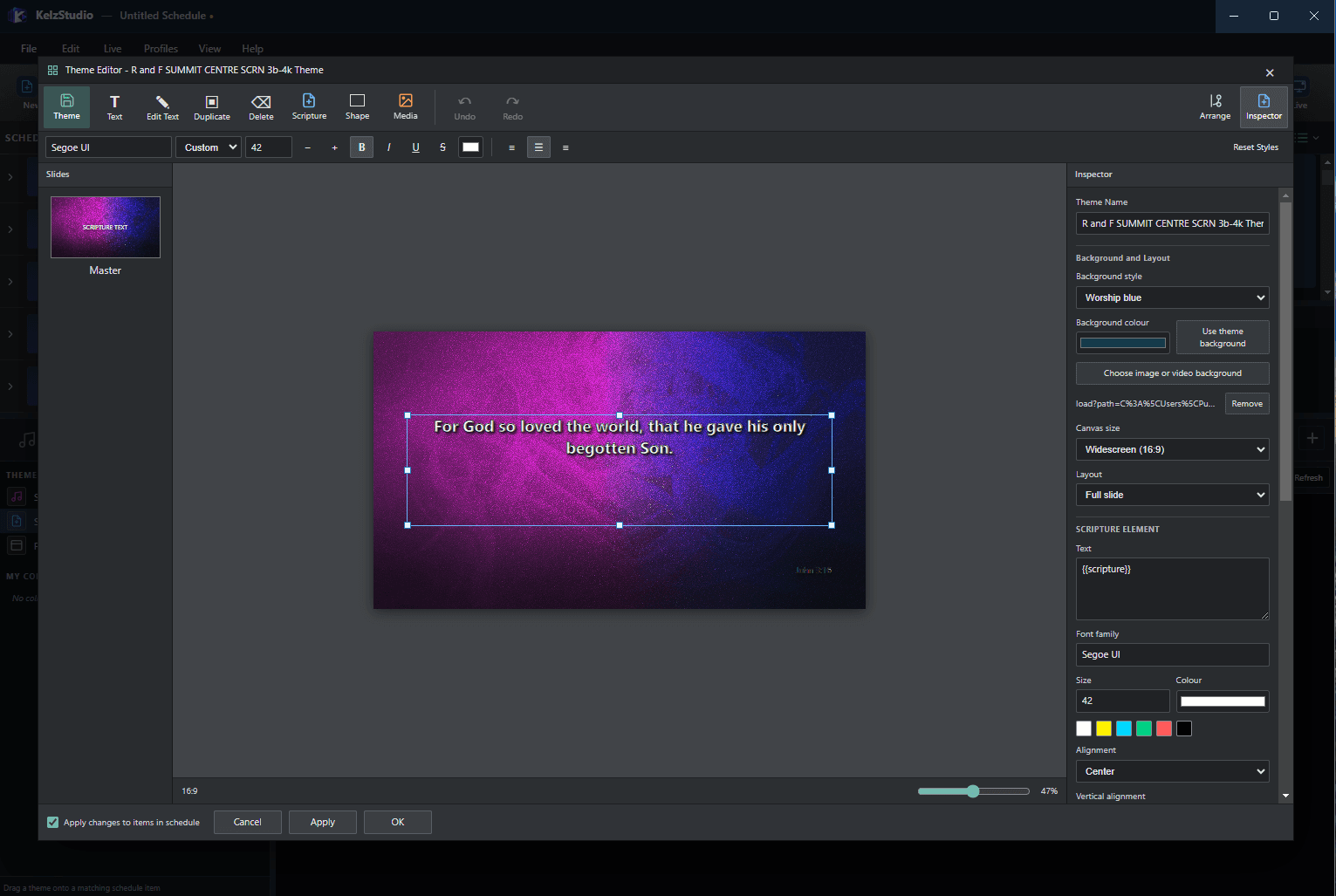
The editor shows your slide on a canvas, with the Slides panel on the left and the Inspector on the right.
- 2
The toolbar offers Text, Edit Text, Duplicate, Delete, Scripture, Shape and Media elements, plus Undo, Redo and Arrange.
- 3
In the Inspector, set the theme name, background style, an image or video background, canvas size and layout.
- 4
Select an element to set its font family, size, colour and alignment.
- 5
Choose whether to apply changes to items in the schedule, then select Apply or OK.