 KelzStudio
Importing and using media
Beginner · 3 min read
The Media library keeps your videos, images, feeds and audio together.
- 1
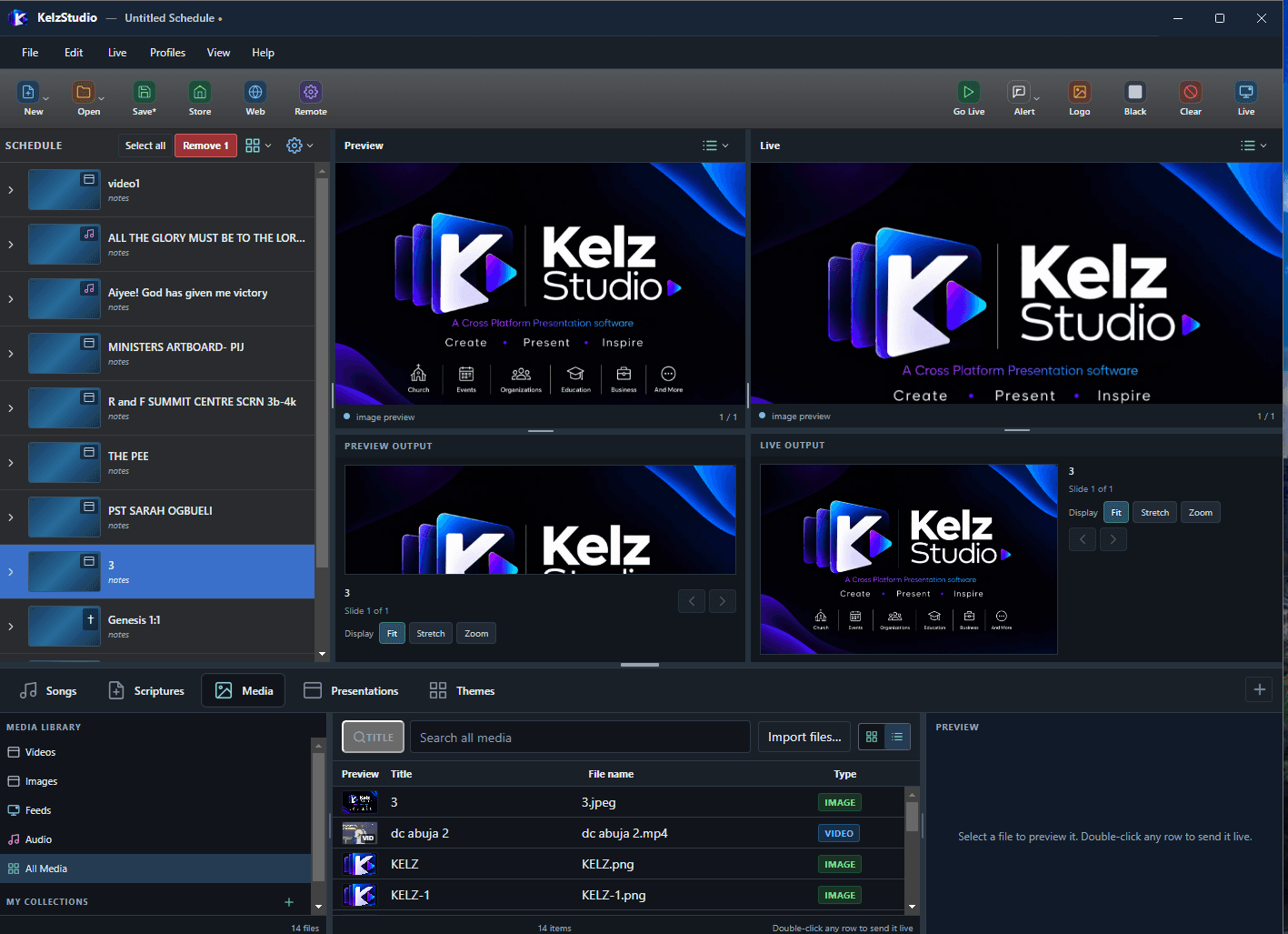
Open the Media tab and choose Videos, Images, Feeds, Audio or All Media.
- 2
Choose Import files and select your media.
- 3
Switch between grid and list view. The list shows Title, File name and Type.
- 4
Select an item to preview it, then choose Add to Schedule or Go Live. You can also double-click any row to send it live.