 KelzStudio
Configuring outputs
Intermediate · 4 min read
Open Options to manage outputs, presentation style and service behaviour.
- 1
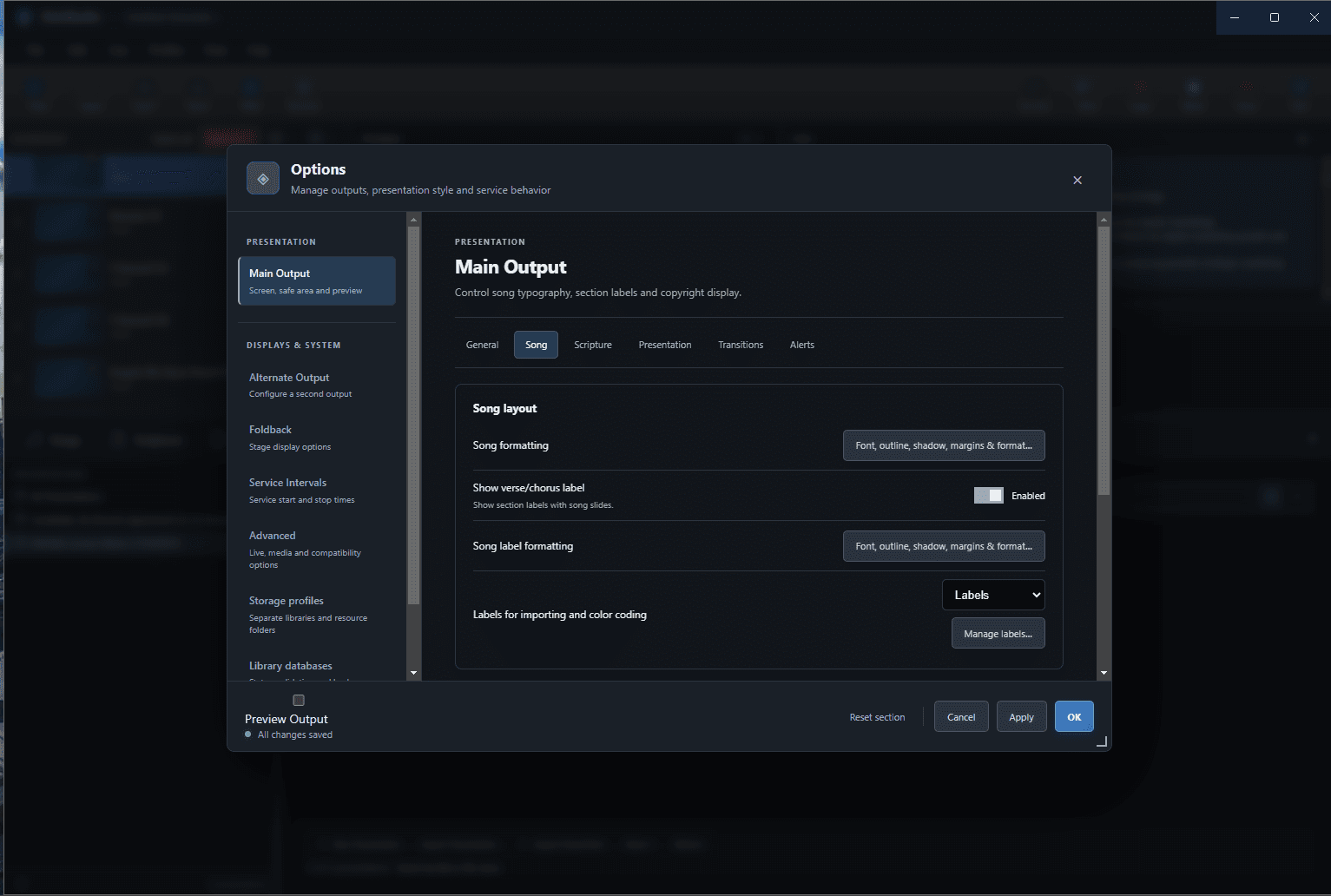
In Options, choose Main Output, then a tab: General, Song, Scripture, Presentation, Transitions or Alerts.
- 2
Under Song, use the formatting buttons for font, outline, shadow, margins and format, and turn verse/chorus labels on or off.
- 3
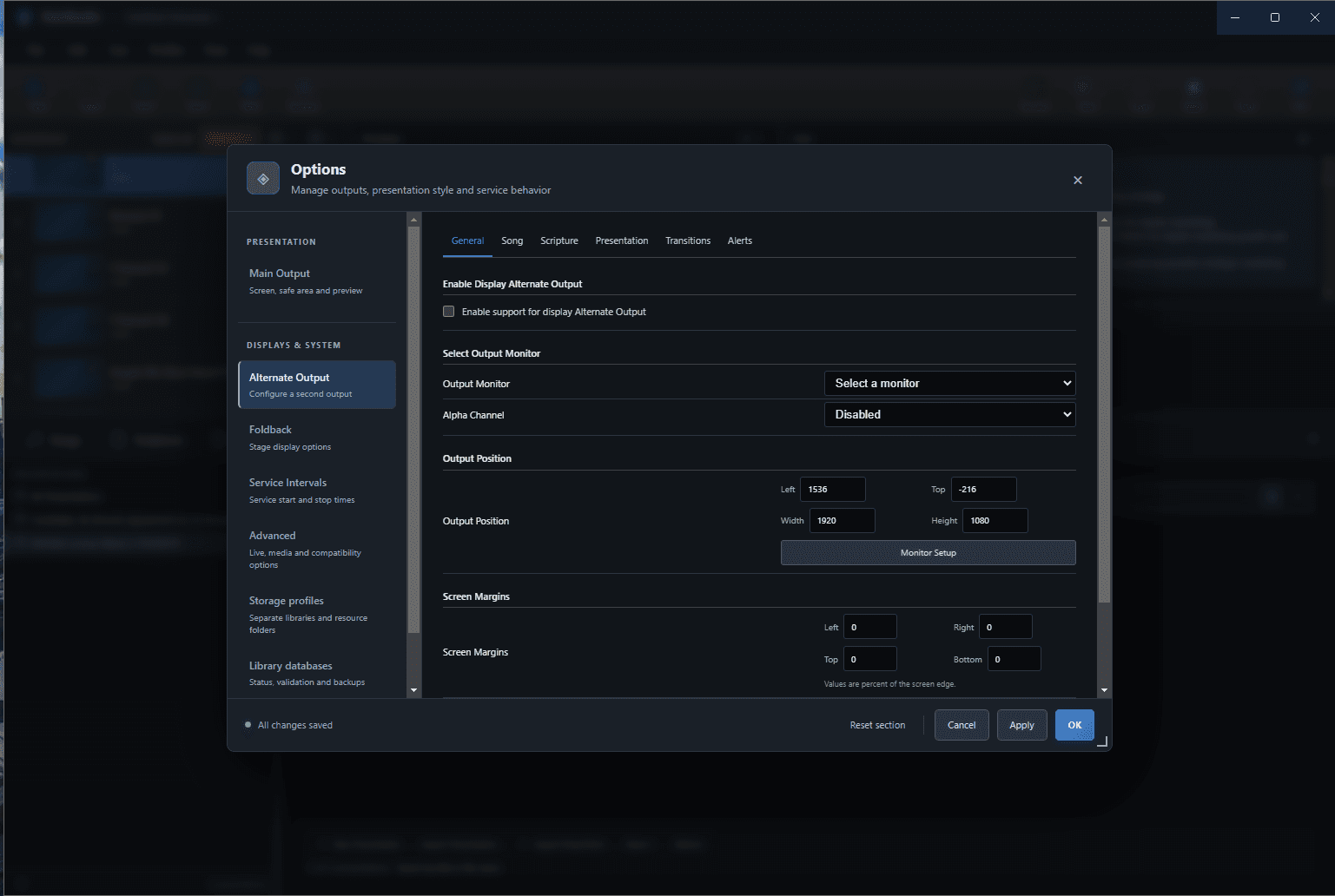
Choose Alternate Output, tick Enable support for display Alternate Output, then select an output monitor.
- 4
Set Alpha Channel, output position (Left, Top, Width, Height) and screen margins. Margins are percentages of the screen edge.
- 5
Choose Foldback for stage display options, then select Apply and OK.